
[WPSM_AC id=1313]
לפעמים הרכב לא מניע. זה דבר שיכול לקרות לכולנו, ולא משנה האם מדובר ברכב חדש או ישן, יד ראשונה, שנייה או חמישית. מגיעים אל הרכב בבוקר, ממהרים לצאת לעבודה, נכנסים לרכב, מקישים את הקוד ומתניעים. אך למורת רוחכם, ברגע הכי לא מתאים- הרכב לא מניע. מי לא מכיר את התחושה המתסכלת.
רגע לפני שמזמינים מונית בדרך לעבודה, שווה לבדוק האם מדובר באחת מ4 התקלות הנפוצות הבאות:
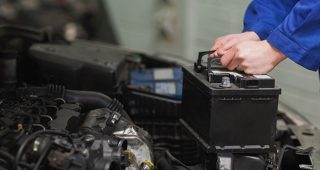
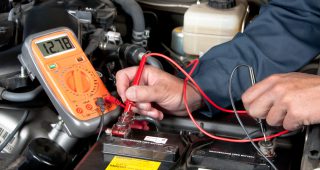
זו התקלה הנפוצה ביותר. לרוב, כשמדובר על רכב שלא מניע, הבעיה טמונה בסוללה הקטנה אך החשובה שמצויה מתחת למכסה המנוע. מצבר הרכב הוא כאמור הסוללה של הרכב. לעיתים אנו שוכחים את האורות דולקים, משאירים את הרכב לא מונע אך משתמשים במזגן לפרק זמן ארוך, או שפשוט לא השתמשנו ברכב זמן רב והיה חם. בכדי לנסוע, תצטרכו פשוט כבלים ו”שומרוני טוב” שיעזור לכם להניע, והנה, אתם מסודרים. עם זאת, חשוב לטפל בבעיות שכאלה, בכדי לאפשר לעצמכם להניע בלי כבלים, ולהחליף למצבר חדש אם יש צורך.
האלטרנטור דואג להטעין את ה”סוללה” של הרכב, הלא היא המצבר. בתנועת סיבוב, שמונעת על ידי תנועת הרכב, הוא מפיק אנרגיית חשמל, ומזרים אותה אל המצבר, שבעצם נטען על ידי הנסיעה שלכם ברכב. אם האלטרנטור לא ממלא את תפקידו משום שהתקלקל, תוך מספר נסיעות לא רב הרכב שלכם יפסיק להניע בעצמו. הסיבה היא, שהמצבר יתרוקן ולא הטעינו אותו, בדומה לכל מכשיר סלולרי שאתם מכירים. הפתרון הוא להחליף אלטרנטור אצל בעל מקצוע.
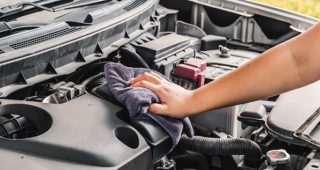
הקודן, הוא החלק ברכב שמגן עליכם מפני פריצות. לעיתים, הוא יכול להיות בעוכריכם. קורה לכולנו שלא נכנסנו לרכב הרבה זמן, או שאנחנו מאד עייפים ולא מרוכזים ולכן טועים בקוד. לאחר מספר מסוים של פעמים, הקודן “נועל” בפנינו את האפשרות לנסות שוב לפרק זמן נוסף. המשמעות המעשית של הנעילה היא שלא נוכל להניע את הרכב, לפרק זמן ממוצע של 30-50 דקות, כתלות בסוג הקודן וברכב. לאחר מכן, אם תקישו את הקוד הנכון, תוכלו להניע ולהתחיל בנסיעה. אם לא היית לכם בעיה בהקשת הקוד, יתכן שהקודן התקלקל. תוכלו לנסות לפרק את הקודן בצורה עדינה, ולנסות לנגב את המקשים מלמטה, כמו גם את חיבורי החשמל. חשוב לא להשתמש במטלית רטובה בכדי לא להסתכן בהתחשמלות או בהריסת המערכת החשמלית. אם גם לאחר מכן הקודן לא עובד, תצטרכו להיעזר בבעל מקצוע מומחה, שיודע לפרק ולטפל במערכות חשמליות של רכבים. תסמין נוסף לבעיה דומה, יכול להיות נורה בצורת מפתח בצבע צהוב או אדום, כתלות בסוג הרכב, המופיעה בלוח המחוונים. במקרה שכזה, לרוב מדובר בנורה המודיעה על בעיה באימובילייזר.
האימובילייזר הוא בעצם צ’יפ קטן שנמצא בשני מקומות, וצריך ליצור התאמה. חלקו האחד נמצא ברכב, וחלקו השני במפתח הרכב שלכם. כאשר ישנה התאמה, בין מפתח “מורשה” לבין הצ’יפ שברכב, הרכב יכול להניע. לעיתים, לאחר מכה (המפתחות נופלים ונשברים) ומעוד שלל סיבות, האימובילייזר לא מצליח לזהות את המפתח הנכון. במקרה שכזה, אם כמה מכות ולחיצות על המפתח של הרכב לא עוזרות, תצטרכו להזמין בעל מקצוע או לגשת לחנות שמתמחה בנושא.
לסיכום, בכל תרחיש אפשרי, מהמנויים מעלה וגם מאלו שלא, לפנות רק לבעלי מקצוע מומחים שעליהם יש לכם המלצות או ביקורות חיוביות. אל תסתכנו בפנייה לבעל מקצוע לא אמין, גם לא כדי לחסוך בכמה שקלים. הבדלי המחיר יעלו לכם ברוב המקרים בכסף נוסף, בנוחות, בזבוז של זמן, ובמקרים חמורים גם בבריאות ובחיים. אל תשכחו שהרכב הוא הכלי שמשמש אותנו להגיע ממקום למקום, אך הנהיגה בכבישים מחייבת אותנו לפנות רק למומחים שחושבים גם, ובעיקר, על טובתנו.
במצבים אחרים כמובן שלא מין הנמנע שהרכב שבק חיים. במצב כזה אין בהכרח צורך לתקנו ואף ניתן לרכוש רכב חדש מכספך האישי או בעזרת הלוואה לקניית רכב.
We firmly believe that the internet should be available and accessible to anyone, and are committed to providing a website that is accessible to the widest possible audience, regardless of circumstance and ability.
To fulfill this, we aim to adhere as strictly as possible to the World Wide Web Consortium’s (W3C) Web Content Accessibility Guidelines 2.1 (WCAG 2.1) at the AA level. These guidelines explain how to make web content accessible to people with a wide array of disabilities. Complying with those guidelines helps us ensure that the website is accessible to all people: blind people, people with motor impairments, visual impairment, cognitive disabilities, and more.
This website utilizes various technologies that are meant to make it as accessible as possible at all times. We utilize an accessibility interface that allows persons with specific disabilities to adjust the website’s UI (user interface) and design it to their personal needs.
Additionally, the website utilizes an AI-based application that runs in the background and optimizes its accessibility level constantly. This application remediates the website’s HTML, adapts Its functionality and behavior for screen-readers used by the blind users, and for keyboard functions used by individuals with motor impairments.
If you’ve found a malfunction or have ideas for improvement, we’ll be happy to hear from you. You can reach out to the website’s operators by using the following email
Our website implements the ARIA attributes (Accessible Rich Internet Applications) technique, alongside various different behavioral changes, to ensure blind users visiting with screen-readers are able to read, comprehend, and enjoy the website’s functions. As soon as a user with a screen-reader enters your site, they immediately receive a prompt to enter the Screen-Reader Profile so they can browse and operate your site effectively. Here’s how our website covers some of the most important screen-reader requirements, alongside console screenshots of code examples:
Screen-reader optimization: we run a background process that learns the website’s components from top to bottom, to ensure ongoing compliance even when updating the website. In this process, we provide screen-readers with meaningful data using the ARIA set of attributes. For example, we provide accurate form labels; descriptions for actionable icons (social media icons, search icons, cart icons, etc.); validation guidance for form inputs; element roles such as buttons, menus, modal dialogues (popups), and others. Additionally, the background process scans all of the website’s images and provides an accurate and meaningful image-object-recognition-based description as an ALT (alternate text) tag for images that are not described. It will also extract texts that are embedded within the image, using an OCR (optical character recognition) technology. To turn on screen-reader adjustments at any time, users need only to press the Alt+1 keyboard combination. Screen-reader users also get automatic announcements to turn the Screen-reader mode on as soon as they enter the website.
These adjustments are compatible with all popular screen readers, including JAWS and NVDA.
Keyboard navigation optimization: The background process also adjusts the website’s HTML, and adds various behaviors using JavaScript code to make the website operable by the keyboard. This includes the ability to navigate the website using the Tab and Shift+Tab keys, operate dropdowns with the arrow keys, close them with Esc, trigger buttons and links using the Enter key, navigate between radio and checkbox elements using the arrow keys, and fill them in with the Spacebar or Enter key.Additionally, keyboard users will find quick-navigation and content-skip menus, available at any time by clicking Alt+1, or as the first elements of the site while navigating with the keyboard. The background process also handles triggered popups by moving the keyboard focus towards them as soon as they appear, and not allow the focus drift outside of it.
Users can also use shortcuts such as “M” (menus), “H” (headings), “F” (forms), “B” (buttons), and “G” (graphics) to jump to specific elements.
We aim to support the widest array of browsers and assistive technologies as possible, so our users can choose the best fitting tools for them, with as few limitations as possible. Therefore, we have worked very hard to be able to support all major systems that comprise over 95% of the user market share including Google Chrome, Mozilla Firefox, Apple Safari, Opera and Microsoft Edge, JAWS and NVDA (screen readers), both for Windows and for MAC users.
Despite our very best efforts to allow anybody to adjust the website to their needs, there may still be pages or sections that are not fully accessible, are in the process of becoming accessible, or are lacking an adequate technological solution to make them accessible. Still, we are continually improving our accessibility, adding, updating and improving its options and features, and developing and adopting new technologies. All this is meant to reach the optimal level of accessibility, following technological advancements. For any assistance, please reach out to