
תוכן עניינים
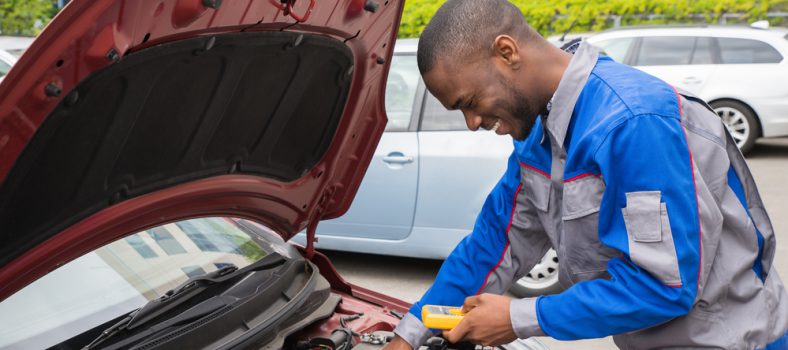
לרוב, עם תחזוקת רכב טובה ושוטפת, מצבר ברכב יכול להחזיק גם שלוש שנים. אך עם זאת, רובינו לא מייחסים תשומת לב גדולה מידי לרכב שלנו ולכן תוחלת הזמן של המצבר שלו עלולה להיות גם פחות מכך.
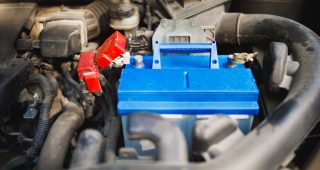
המצבר למעשה מספק את כל החשמל במערכת הרכב שלנו על ידי כך שהוא אוגר אנרגיה כימית ומשחרר אותה כאנרגיה חשמלית. מה שהופך אותו להיות רכיב חשוב ומהותי.
המצבר אחראי למשימות רבות כמו הפעלת הרכב או הפעלת מערכת המולטימדיה שקיימת ברכב.
כמו כל סוללה אחרת (למשל במחשב או בטלפון שלנו) גם הסוללה של המצבר נחלשת או מתקלקלת עם הזמן. עם טיפול מתאים הסוללה תחזיק בדרך כלל כשלוש שנים לפני שיהיה צורך להחליף את המצבר בחדש.
לעיתים אנחנו שוכחים את האורות דולקים ברכב או שוכחים לסגור את אחת הדלתות כאשר אנחנו יוצאים מהרכב. במקרים אלו אנו פוגעים בסוללה של המצבר. ברכב קיים רכיב נוסף בשם אלטרנטור. תפקיד האלטרנטור הוא להטעין את המצבר תוך כדי הנהיגה. אבל, אם אנחנו שוכחים את האור דלוק למשל, הסוללה של המצבר תתרוקן על כך ואז כאשר נרצה להפעיל את הרכב לאחר מכן לא נוכל משום שהמצבר התרוקן.
כמו כן, גם טיפול לא תקין או שגרתי ברכב ובמצבר ברמה הנדרשת עלול לגרום לכשל בו.
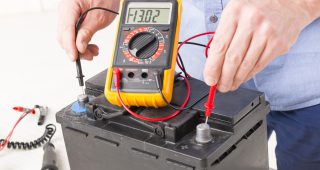
במקרה כזה, בו המצבר התרוקן ניתן לנסות להטעין אותו מחדש ולראות אם הוא תקין לאחר מכן, אבל אם ההטענה לא עובדת ייתכן ויש צורך להחליף אותו לחלוטין.
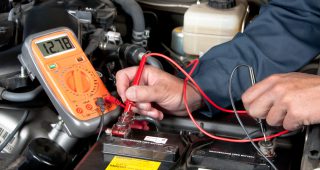
את המצבר לרכב ניתן להטעין באמצעות כבלים ייעודיים, כאשר כבל אחד שחור ואחד אדום. נבצע את ההטענה בעזרת רכב נוסף ונחבר את הכבל האדום לשני המצברים היכן שמופיע סמל הפלוס, ואת הכבל השחור נחבר לשני המצברים היכן שמופיע סמל המינוס. לאחר חיבור הכבלים ננסה להניע את הרכב התקול. במידה והצלחנו, כעת על בעל הרכב להמשיך להטעין את המצבר מחדש תוך כדי נהיגה. אך במידה וההטענה לא עבדה יש צורך לפנות לגורם מוסמך משום שייתכן שצריך להחליף את המצבר.
מזג אוויר: מזג אוויר חם מידי או קר מידי עלול להשפיע לרעה על המצבר שלנו. כאשר חם מאוד, המים בסוללה מתאדים ואז יכולה להיווצר קורוזיה והיא אחד הגורמים לבעיות במצבר. כאשר קר מידי המנוע צריך לעבוד קשה יותר והמצבר יצטרך לשחרר יותר אנרגיה חשמלית, גם מאמץ יתר עלול לגרום לתקלות במצבר.
מצבר צריך להיות מותאם לרכב. לפני החלפת מצבר יש לבדוק מה כמות האמפר המומלצת לרכב, וכן לבחון כלכלית אילו מצברים יותר זולים או יקרים ומה ההבדלים ביניהם בהתאם לכך.
אנחנו בתיק תק מצברים נשמח להעניק לכם שירות ולסייע לכם לבחור את המצבר הנכון עבור הרכב שלכם. מגוון המומחים שלנו עומדים לרשותכם וישמחו להעניק לכם עזרה בבחירת המצבר וכן בהתקנתו.
לכל מצבר אורך חיים, אחריות ומחיר שונה המשתנים בהתאם לסוג הרכב. לפני החלפת מצבר מומלץ לבדוק את הקריטריונים הללו אודות המצבר החדש.
We firmly believe that the internet should be available and accessible to anyone, and are committed to providing a website that is accessible to the widest possible audience, regardless of circumstance and ability.
To fulfill this, we aim to adhere as strictly as possible to the World Wide Web Consortium’s (W3C) Web Content Accessibility Guidelines 2.1 (WCAG 2.1) at the AA level. These guidelines explain how to make web content accessible to people with a wide array of disabilities. Complying with those guidelines helps us ensure that the website is accessible to all people: blind people, people with motor impairments, visual impairment, cognitive disabilities, and more.
This website utilizes various technologies that are meant to make it as accessible as possible at all times. We utilize an accessibility interface that allows persons with specific disabilities to adjust the website’s UI (user interface) and design it to their personal needs.
Additionally, the website utilizes an AI-based application that runs in the background and optimizes its accessibility level constantly. This application remediates the website’s HTML, adapts Its functionality and behavior for screen-readers used by the blind users, and for keyboard functions used by individuals with motor impairments.
If you’ve found a malfunction or have ideas for improvement, we’ll be happy to hear from you. You can reach out to the website’s operators by using the following email
Our website implements the ARIA attributes (Accessible Rich Internet Applications) technique, alongside various different behavioral changes, to ensure blind users visiting with screen-readers are able to read, comprehend, and enjoy the website’s functions. As soon as a user with a screen-reader enters your site, they immediately receive a prompt to enter the Screen-Reader Profile so they can browse and operate your site effectively. Here’s how our website covers some of the most important screen-reader requirements, alongside console screenshots of code examples:
Screen-reader optimization: we run a background process that learns the website’s components from top to bottom, to ensure ongoing compliance even when updating the website. In this process, we provide screen-readers with meaningful data using the ARIA set of attributes. For example, we provide accurate form labels; descriptions for actionable icons (social media icons, search icons, cart icons, etc.); validation guidance for form inputs; element roles such as buttons, menus, modal dialogues (popups), and others. Additionally, the background process scans all of the website’s images and provides an accurate and meaningful image-object-recognition-based description as an ALT (alternate text) tag for images that are not described. It will also extract texts that are embedded within the image, using an OCR (optical character recognition) technology. To turn on screen-reader adjustments at any time, users need only to press the Alt+1 keyboard combination. Screen-reader users also get automatic announcements to turn the Screen-reader mode on as soon as they enter the website.
These adjustments are compatible with all popular screen readers, including JAWS and NVDA.
Keyboard navigation optimization: The background process also adjusts the website’s HTML, and adds various behaviors using JavaScript code to make the website operable by the keyboard. This includes the ability to navigate the website using the Tab and Shift+Tab keys, operate dropdowns with the arrow keys, close them with Esc, trigger buttons and links using the Enter key, navigate between radio and checkbox elements using the arrow keys, and fill them in with the Spacebar or Enter key.Additionally, keyboard users will find quick-navigation and content-skip menus, available at any time by clicking Alt+1, or as the first elements of the site while navigating with the keyboard. The background process also handles triggered popups by moving the keyboard focus towards them as soon as they appear, and not allow the focus drift outside of it.
Users can also use shortcuts such as “M” (menus), “H” (headings), “F” (forms), “B” (buttons), and “G” (graphics) to jump to specific elements.
We aim to support the widest array of browsers and assistive technologies as possible, so our users can choose the best fitting tools for them, with as few limitations as possible. Therefore, we have worked very hard to be able to support all major systems that comprise over 95% of the user market share including Google Chrome, Mozilla Firefox, Apple Safari, Opera and Microsoft Edge, JAWS and NVDA (screen readers), both for Windows and for MAC users.
Despite our very best efforts to allow anybody to adjust the website to their needs, there may still be pages or sections that are not fully accessible, are in the process of becoming accessible, or are lacking an adequate technological solution to make them accessible. Still, we are continually improving our accessibility, adding, updating and improving its options and features, and developing and adopting new technologies. All this is meant to reach the optimal level of accessibility, following technological advancements. For any assistance, please reach out to