
תוכן עניינים
המצבר הוא חלק חשוב והכרחי ברכב, תפקידיו רבים ונעים בין מתן הספק חשמלי להנעת הרכב ועד להפעלת מערכת המולטימדיה ברכב והטענת המכשיר הסלולארי. לכן זה חשוב מאוד לשמור על המצבר תקין על מנת שהרכב יניע ויעבוד כמו שצריך ובנוסף שלא נצטרך להחליף מצבר לעיתים תכופות. החלפת מצבר היא עניין כלכלי לא מועט ולכן שמירה של המצבר במצב תקין היא חשובה גם בפן הכספי.
לרוב, תוחלת החיים של המצבר היא שלוש שנים עד חמש שנים. הדבר אינו שונה עבורי מצברי שנפ אך יש לזכור שיש גם הבדלים במצברים עצמם (למשל כמות האמפר) ולכן תוחלת החיים עבור כל מצבר ומצבר משתנה בהתאם לכך . ישנם גורמים רבים שעלולים להשפיע לרעה על המצבר ולגרום לתקלות או כשלים שונים כמו מזג אוויר קיצוני, בלאי או רכיבים במנוע שאינם תקינים.
ברשותכם מצבר שנפ? אתם מעוניינים לדעת כיצד תוכלו לשמור עליו תקין ולאורך זמן ? על מנת שתוכלו לשמור על המצבר שלכם ולא לקצר את תוחלת החיים שלו בגלל טיפול לקוי, אספנו בשבילכם ארבעה טיפים שיעזרו לכם לבצע זאת.
נסיעות קצרות מונעות מהסוללה של המצבר להיטען במלואה, לכן על מנת לשמור על הסוללה של המצבר תקינה מומלץ לבצע נסיעות תכופות וארוכות באופן יחסי.
לכן אם אתם יודעים שהרכב עתיד לעמוד למשך תקופה ארוכה, או אם אתם אינכם נוסעים ברכב שלכם באופן תדיר, דעו כי ייתכן ויהיו בעיות עם המצבר בעתיד. הנעה קבועה של הרכב מונעת תקלות ומסייעת לו להטעין את עצמו כל פעם מחדש. בדרך כלל ממליצים לבצע נסיעות של מינימום 20 דק ברכב באופן ממושך על מנת לשמור על הטענה תקינה של המצבר.
אבל, אם אין באפשרותכם לבצע נסיעות תכופות תוכלו לרכוש מכשיר נייד להטענת המצבר. בעזרת ההטענה הניידת תוכלו להטעין את המצבר שלכם במידה והוא מתרוקן ללא צורך ברכב נוסף שיסייע בהטענה. כך תוכלו לדאוג שהמצבר שלכם יהיה תמיד טעון ולא יהיה מרוקן למשך תקופה ממושכת.
אורות רכב שנשארו דולקים או דלת שנשארה פתוחה וגורמת לאור הפנימי ברכב לפעול ללא הפסקה, הם גם דברים שעלולים לגרום למצבר להתרוקן משום שהוא יבזבז את האנרגיה החשמלית שלו על האורות ובכך יתרוקן. אם מקרים אלו קורים לכם באופן לא מועט, מומלץ שתחשבו על דרך בה לא תשכחו לבדוק את הדברים הללו לפני יציאתכם מהרכב. כאשר זה קורה הרבה יחסית והמצבר כל הזמן מתרוקן וצריך להטעין אותו זה עלול לפגוע בו ולקצר את תוחלת החיים שלו.
למשל, על מנת להתמודד על בעיה של שכחה כזו תוכלו להדביק פתק על השמשה או הדשבורד שיזכיר לכם לבצע את הבדיקה.
קורוזיה זה משהו טבעי שעלול להצטבר על המצבר אך על אף היותו דבר טבעי הוא עלול להצטבר ולגרום לבעיות וכן הקורוזיה עלולה להחמיר במקרה של מזג אוויר קיצוני. עם זאת חשוב לזכור כי שמירה על ניקיון ומניעת הצטברות יכולה לסייע ולהאריך את תוחלת החיים של המצבר.
את הניקיון תבצעו בצורה הבאה: תחילה יש לנקות את החלק העליון של המצבר ואת הכבלים באמצעות מברשת שיניים טבולה בחומר של תערובת של סודה לשתייה ומים. לאחר מכן יש לשטוף עם מים קרים את התערובת ובעזרת מטלית נקיה יש לייבש את המקום.
אם אינכם מעוניינים לבצע את הניקיון בעצמכם תוכלו לפנות לאיש מקצוע שיעשה זאת עבורכם.
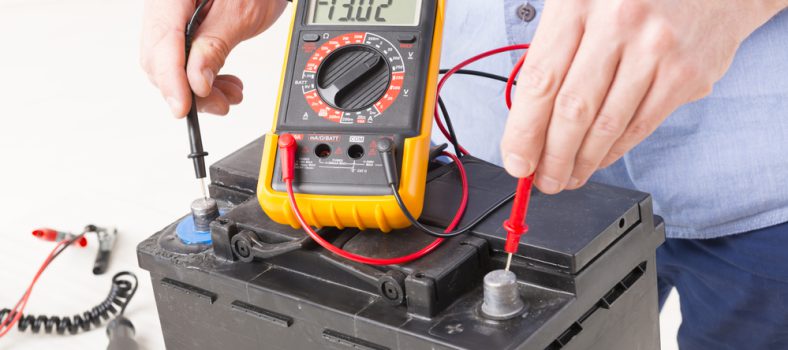
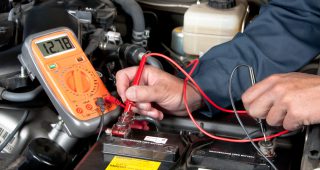
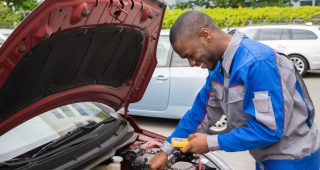
ידיעת מצב הסוללה במצבר שלכם עוזרת לשמור על אורך החיים שלה. באפשרותכם לבדוק את רמת המתח החשמלי במצבר באמצעות מכשירים ייעודיים לבדיקה זו. בצורה זו תוכלו לעקוב אחר מצב הסוללה ורמת המתח החשמלי במצבר ותדעו מתי הסוללה לא מתמלאת כמו שצריך, או האם קיימת בעיה כלשהי במצבר והגיע הזמן להחליף אותו.
אם אינכם מעוניינים לבצע את הבדיקה הזאת בעצמכם או שאתם לא יודעים כיצד לבצע אותה תוכלו לפנות לאיש מקצוע שיגיע עד אליכם הביתה או יבצע זאת במוסך.
We firmly believe that the internet should be available and accessible to anyone, and are committed to providing a website that is accessible to the widest possible audience, regardless of circumstance and ability.
To fulfill this, we aim to adhere as strictly as possible to the World Wide Web Consortium’s (W3C) Web Content Accessibility Guidelines 2.1 (WCAG 2.1) at the AA level. These guidelines explain how to make web content accessible to people with a wide array of disabilities. Complying with those guidelines helps us ensure that the website is accessible to all people: blind people, people with motor impairments, visual impairment, cognitive disabilities, and more.
This website utilizes various technologies that are meant to make it as accessible as possible at all times. We utilize an accessibility interface that allows persons with specific disabilities to adjust the website’s UI (user interface) and design it to their personal needs.
Additionally, the website utilizes an AI-based application that runs in the background and optimizes its accessibility level constantly. This application remediates the website’s HTML, adapts Its functionality and behavior for screen-readers used by the blind users, and for keyboard functions used by individuals with motor impairments.
If you’ve found a malfunction or have ideas for improvement, we’ll be happy to hear from you. You can reach out to the website’s operators by using the following email
Our website implements the ARIA attributes (Accessible Rich Internet Applications) technique, alongside various different behavioral changes, to ensure blind users visiting with screen-readers are able to read, comprehend, and enjoy the website’s functions. As soon as a user with a screen-reader enters your site, they immediately receive a prompt to enter the Screen-Reader Profile so they can browse and operate your site effectively. Here’s how our website covers some of the most important screen-reader requirements, alongside console screenshots of code examples:
Screen-reader optimization: we run a background process that learns the website’s components from top to bottom, to ensure ongoing compliance even when updating the website. In this process, we provide screen-readers with meaningful data using the ARIA set of attributes. For example, we provide accurate form labels; descriptions for actionable icons (social media icons, search icons, cart icons, etc.); validation guidance for form inputs; element roles such as buttons, menus, modal dialogues (popups), and others. Additionally, the background process scans all of the website’s images and provides an accurate and meaningful image-object-recognition-based description as an ALT (alternate text) tag for images that are not described. It will also extract texts that are embedded within the image, using an OCR (optical character recognition) technology. To turn on screen-reader adjustments at any time, users need only to press the Alt+1 keyboard combination. Screen-reader users also get automatic announcements to turn the Screen-reader mode on as soon as they enter the website.
These adjustments are compatible with all popular screen readers, including JAWS and NVDA.
Keyboard navigation optimization: The background process also adjusts the website’s HTML, and adds various behaviors using JavaScript code to make the website operable by the keyboard. This includes the ability to navigate the website using the Tab and Shift+Tab keys, operate dropdowns with the arrow keys, close them with Esc, trigger buttons and links using the Enter key, navigate between radio and checkbox elements using the arrow keys, and fill them in with the Spacebar or Enter key.Additionally, keyboard users will find quick-navigation and content-skip menus, available at any time by clicking Alt+1, or as the first elements of the site while navigating with the keyboard. The background process also handles triggered popups by moving the keyboard focus towards them as soon as they appear, and not allow the focus drift outside of it.
Users can also use shortcuts such as “M” (menus), “H” (headings), “F” (forms), “B” (buttons), and “G” (graphics) to jump to specific elements.
We aim to support the widest array of browsers and assistive technologies as possible, so our users can choose the best fitting tools for them, with as few limitations as possible. Therefore, we have worked very hard to be able to support all major systems that comprise over 95% of the user market share including Google Chrome, Mozilla Firefox, Apple Safari, Opera and Microsoft Edge, JAWS and NVDA (screen readers), both for Windows and for MAC users.
Despite our very best efforts to allow anybody to adjust the website to their needs, there may still be pages or sections that are not fully accessible, are in the process of becoming accessible, or are lacking an adequate technological solution to make them accessible. Still, we are continually improving our accessibility, adding, updating and improving its options and features, and developing and adopting new technologies. All this is meant to reach the optimal level of accessibility, following technological advancements. For any assistance, please reach out to